Documentation
Set up Privatrak, name what matters to you and read every report.
Privacy
Privatrak shows you how people use your site without cookies, without storing anything in their browser and without following anyone from one day to the next. This page lists exactly what Privatrak stores, and what it never collects.
In short
- Privatrak sets no cookies and stores nothing in your visitors’ browsers.
- Privatrak reads no fonts, screen sizes or other device details to recognise anyone.
- IP addresses are never stored.
- A visitor is recognised for one day only, and two days can’t be linked.
- Nothing anyone types into a form is ever read.
- Your data is stored on servers in the EU, and it is never sold or shared.
What is stored for each event
For every page view, click, form submission, custom event and click problem, Privatrak stores:
| What | What it holds |
|---|---|
| Event type | Page view, click, form submission, custom event or one kind of click problem. |
| Page address | The address of the page, with personal details replaced as described below. |
| Time | When it happened, to the second. |
| Visitor of the day | A code that stands for one visitor on one day. It can’t be traced back to a person. |
| Where they came from | For a page view, the website or page the visitor came from, as their browser reports it. |
| Clicked element | For a click, the kind of element, such as a button or a link, its visible text up to the Max text length, and a description of where it sits on the page. For a form submission, which form it was. |
| Your names and details | Names and details your site adds with data-track or track(). |
| Traits | The traits your site sends, such as plan-pro. |
| Click problem details | How many times someone clicked, how long a response took, or the kind of error, such as TypeError. Never the error message. |
How Privatrak recognises a visitor
When an event arrives, Privatrak turns three things into a code: the visitor’s IP address, the name their browser gives itself, called the User-Agent, and your project. It uses a one-way method called a keyed hash, or HMAC, so the code can’t be turned back into an IP address. The IP address and browser details are used for this calculation only, and they are never stored or logged.
The key behind the code is random, and Privatrak creates a new one for each project every day. The day starts at midnight in your project’s timezone, and the same visitor gets an unrelated code the next day. Once a day is over and counted, Privatrak deletes its key together with that day’s visitor codes. From then on nobody, Privatrak included, can link two days or work out which IP address a visitor came from.
What this means for your numbers is on How visitors are counted.
What Privatrak never collects
- Anything typed into a form. A form submission records only that the form was sent.
- Password fields, hidden fields and credit card fields. Privatrak skips them completely, even as click targets and even when they carry a
data-trackattribute. - Error messages. A click that causes an error records only the kind of error.
- Device details such as fonts, screen size or how the browser draws images.
Personal data in addresses
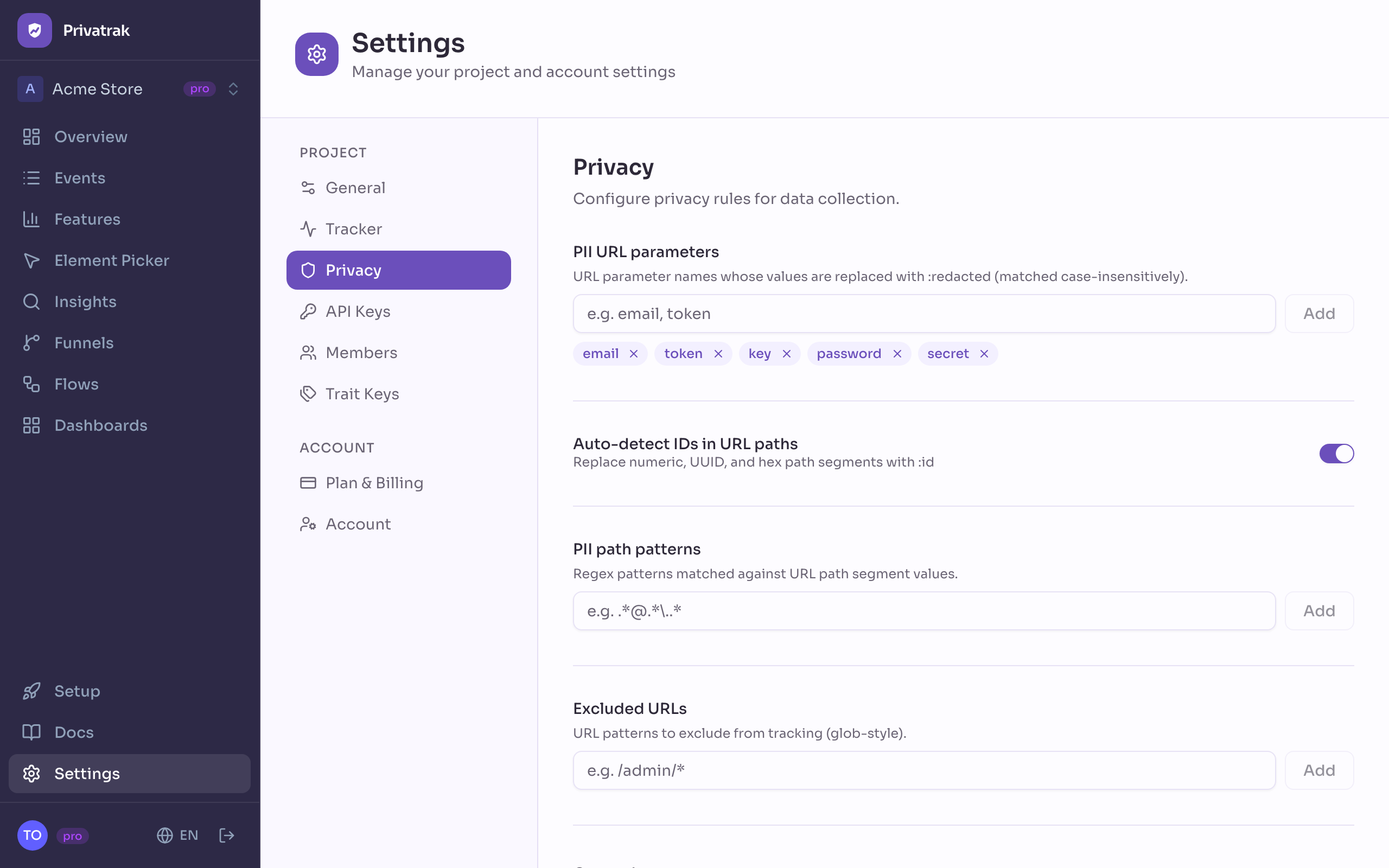
Addresses can carry personal details, such as an email address in a link from a newsletter. Before an event leaves the browser, Privatrak replaces the value of URL parameters such as email, token, key, password and secret with :redacted. It does the same for values that look like an email address or an access key, wherever they appear in the address. It also replaces IDs in page paths with :id, so /orders/1042 becomes /orders/:id.
The part after the # follows the same rules when it holds key=value pairs, as in #access_token=…. An anchor such as #pricing or a route such as #/settings is sent unchanged.
You choose the parameters, the value patterns and the pages to leave out completely under Settings › Privacy.
What you send yourself
Privatrak stores the names, details and traits your site sends exactly as sent. Never put an email address, an account ID or anything else that identifies one person there. Keep personal data out shows what to send instead.
Privatrak also records the visible text of what people click. Check that your buttons and links don’t show personal details, such as a customer’s name in an account menu.
Who can send and see data
Under Settings › Privacy, list your websites under Allowed domains. Only pages on those websites can then send events with your website key.
Only the people you invite into a project see its data.
How long data is kept
Privatrak keeps your data for your plan’s data retention: 30 days on Free, 90 days on Starter and 180 days on Pro. On Enterprise it is agreed with us. Older data is deleted automatically, and deleting a project deletes all of its data. Plans and limits has the details.
Do you need a cookie banner?
Cookie banners exist because tracking usually stores something on the visitor’s device. Privatrak stores nothing there and collects no personal data of its own, so in many countries you need no banner for it. This is general information, not legal advice. What applies to you depends on where you and your visitors are, and on what else runs on your site, so check with your lawyer.
The Element Picker and the Click Map
The Element Picker and the Click Map are tools for you, not for your visitors. They open in a tab you start from your dashboard. While that tab is open, they keep their own state in the browser’s sessionStorage, and that tab only. Your visitors never see them.
The privacy policy explains how Privatrak handles the data of your own account.