Documentation
Set up Privatrak, name what matters to you and read every report.
WooCommerce analytics
Privatrak's WooCommerce analytics show what shoppers do in your store: which products they add to the cart, which orders complete, and where your visitors come from. The Privatrak Analytics plugin records all of this automatically, without any code, as soon as you connect your website key.
If you haven't added Privatrak to your store yet, install the plugin first. Everything below starts working as soon as it's connected.
What Privatrak records in your store
Carts and purchases
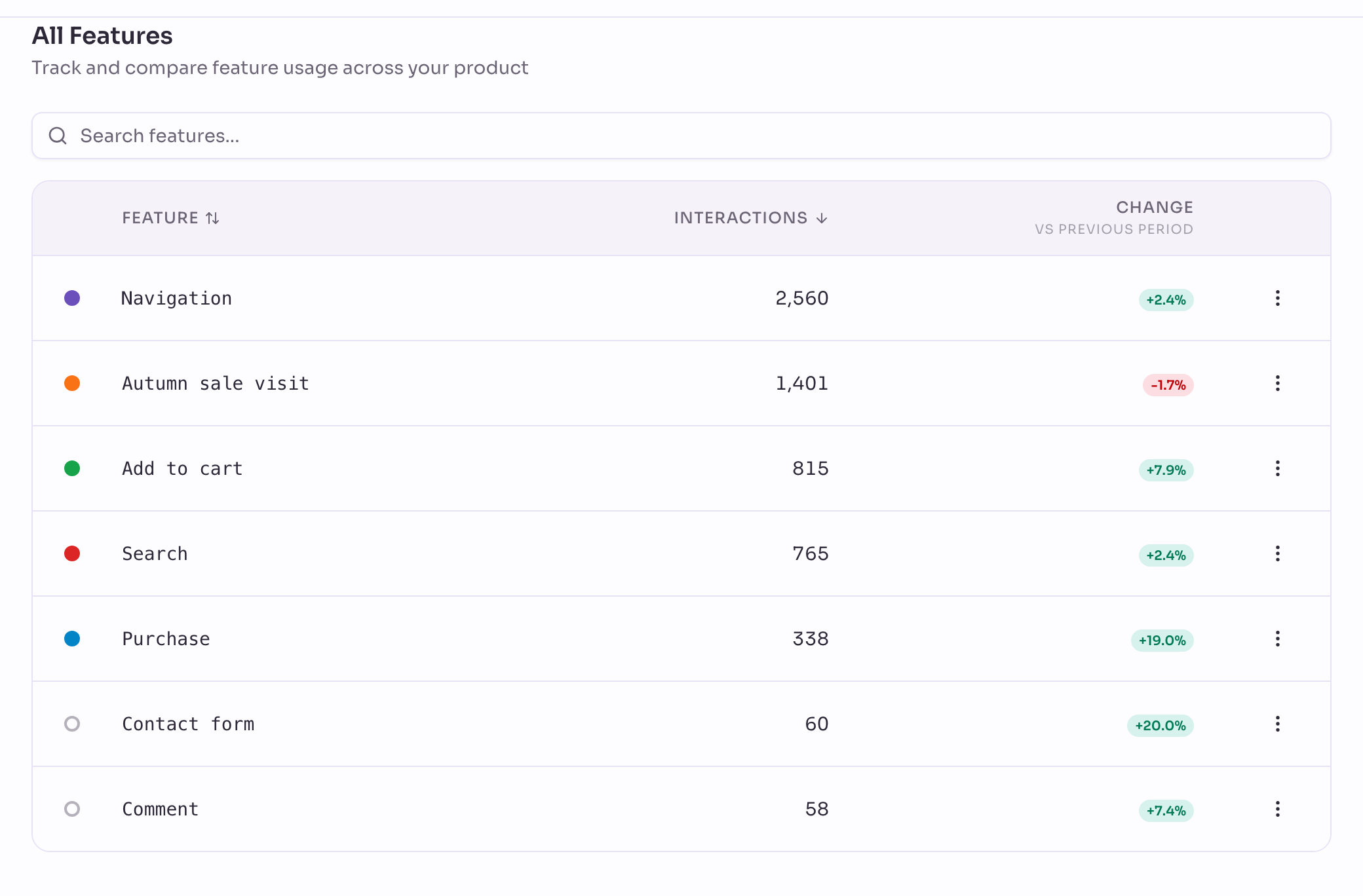
A click on an add to cart button is the feature Add to cart, with the product's name, its ID, its category, its price and the currency.
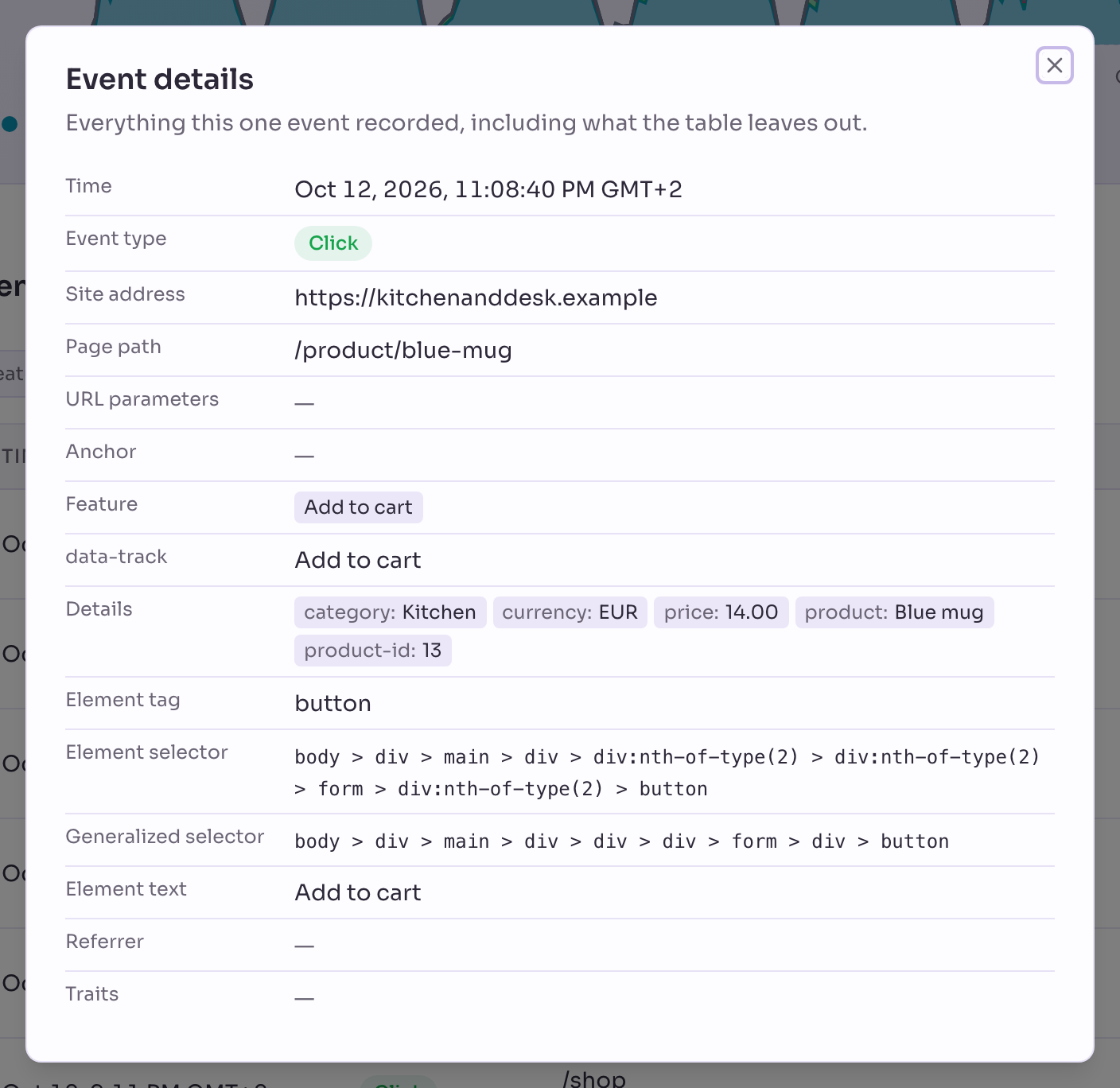
Each completed order is the custom event Purchase, with the order's total, currency and number of items. Nothing about the customer is sent.
Privatrak records the purchase when the shopper reaches the order confirmation page. Only failed orders are left out, so orders paid later, such as by bank transfer, still count. The total includes shipping and tax, and a refund doesn't reduce it, so it can differ a little from WooCommerce's own reports.
Products with several options, such as size or colour, have no price until the shopper picks one, so their add to cart clicks arrive without one.
Browsing, search and reviews
A click on a menu link is the feature Navigation, a click on the search button is Search, and a submitted product review is Review.
Where visitors come from
Sources shows which search engines, social networks and other websites send you visitors, and Campaigns shows the newsletters and ads you tag with a campaign link.
What you can build with WooCommerce analytics
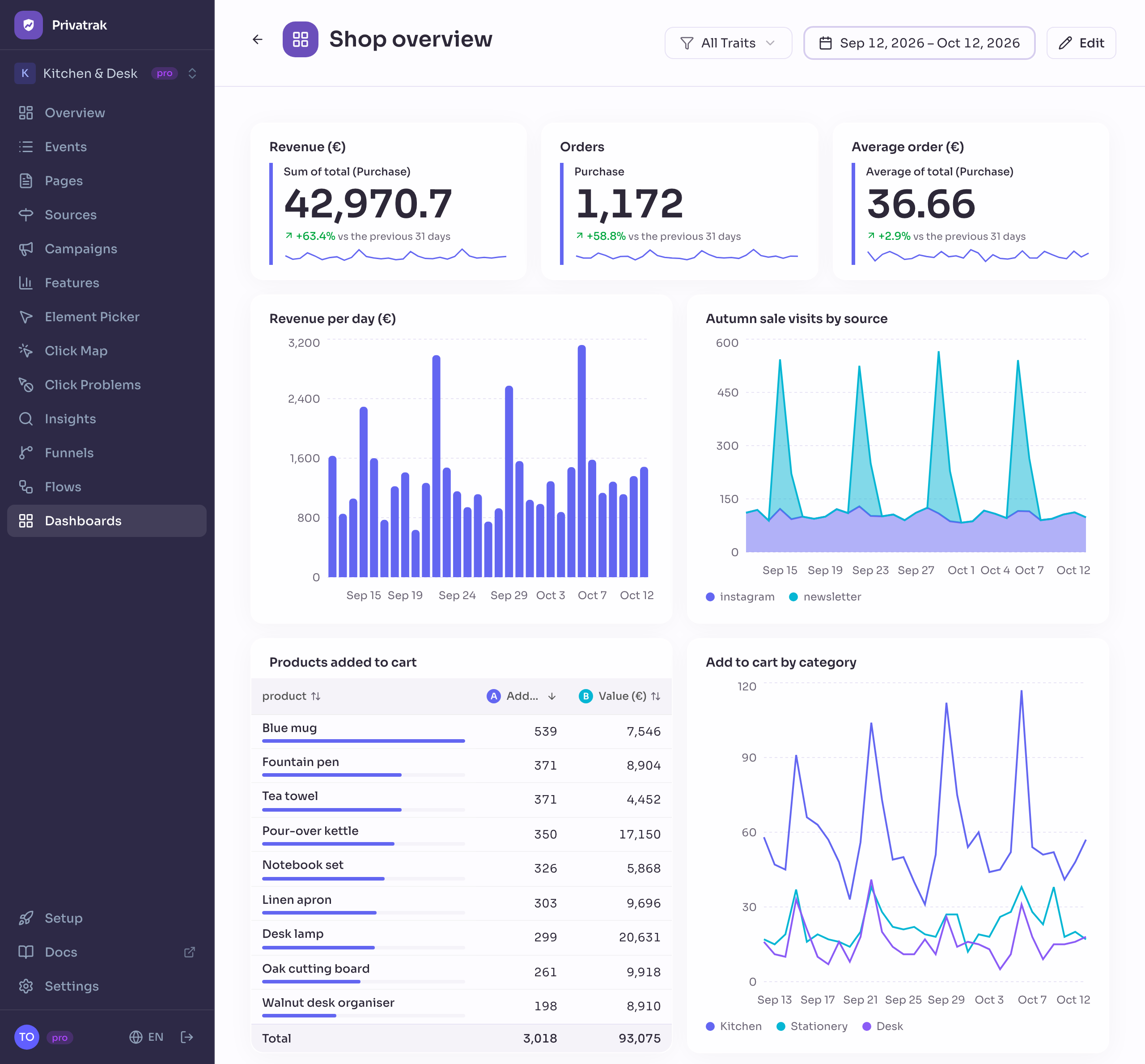
Add up what shoppers buy, and you have a revenue dashboard: your total revenue, orders, average order value and the products people add to their cart. Track revenue in WooCommerce builds one step by step.
Follow visitors from the cart to the order, and you see exactly where they stop. Measure your WooCommerce cart abandonment rate builds that funnel.
Next steps
- Track revenue in WooCommerce: build your revenue, orders and average order value step by step.
- Measure your WooCommerce cart abandonment rate: build a funnel from the cart to the purchase.
- Install on WordPress: install the plugin and connect your site.