Documentation
Set up Privatrak, name what matters to you and read every report.
Find what's broken in your WooCommerce checkout
Click Problems finds the buttons and links in your checkout where clicks go wrong: a slow response, a repeated click, an error or a click with no effect. This guide finds them in a WooCommerce checkout and shows whether they cost you sales. For what each status means and how to resolve or ignore a problem, see Fix click problems.
The example in this guide
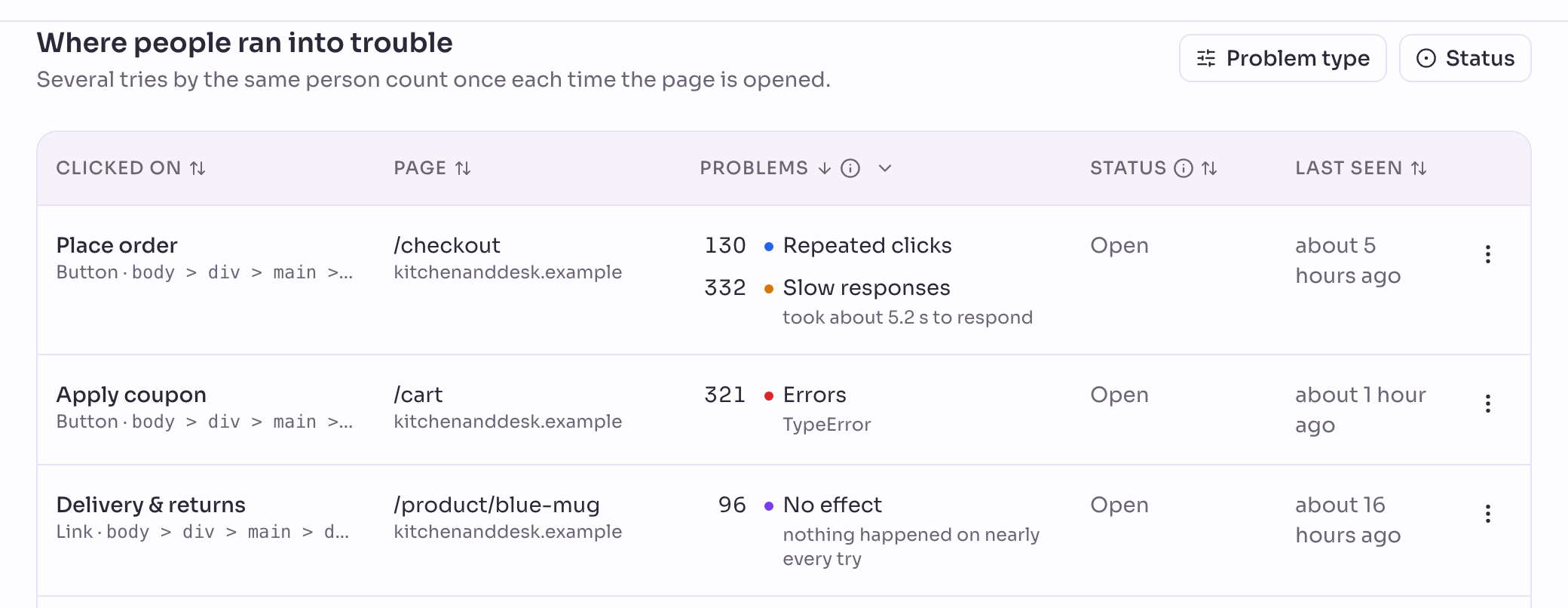
Kitchen & Desk, the WooCommerce store from WooCommerce analytics, has three real problems in its checkout: a slow Place order button, an erroring Apply coupon button, and a Delivery & returns link with no effect.
Before you start
The plugin records every click automatically, so Click Problems already lists what's wrong in your checkout without any extra setup.
1. See what's broken
Open Click Problems. Each row is a button or link, with its page and the kinds of problem it has. The four kinds are No effect, Repeated clicks, Errors and Slow responses.
- Place order on
/checkout: some presses answer slowly, and some of those shoppers press it again while they wait. - Apply coupon on
/cart: every click throws a script error. - Delivery & returns on product pages: the link has no effect.
2. Check whether it costs you sales
A click problem on its own doesn't say how many shoppers it loses. To find out, put it next to your cart funnel: did shoppers who hit the problem still complete their order?
Create a feature rule named Coupon error: Event type equals Clicks, Element text equals Apply coupon.
Open Funnels and create a new funnel. For Step 1, click Add Filter, choose Feature and pick Coupon error. Click Add Step. For Step 2, choose Page path and enter /checkout.
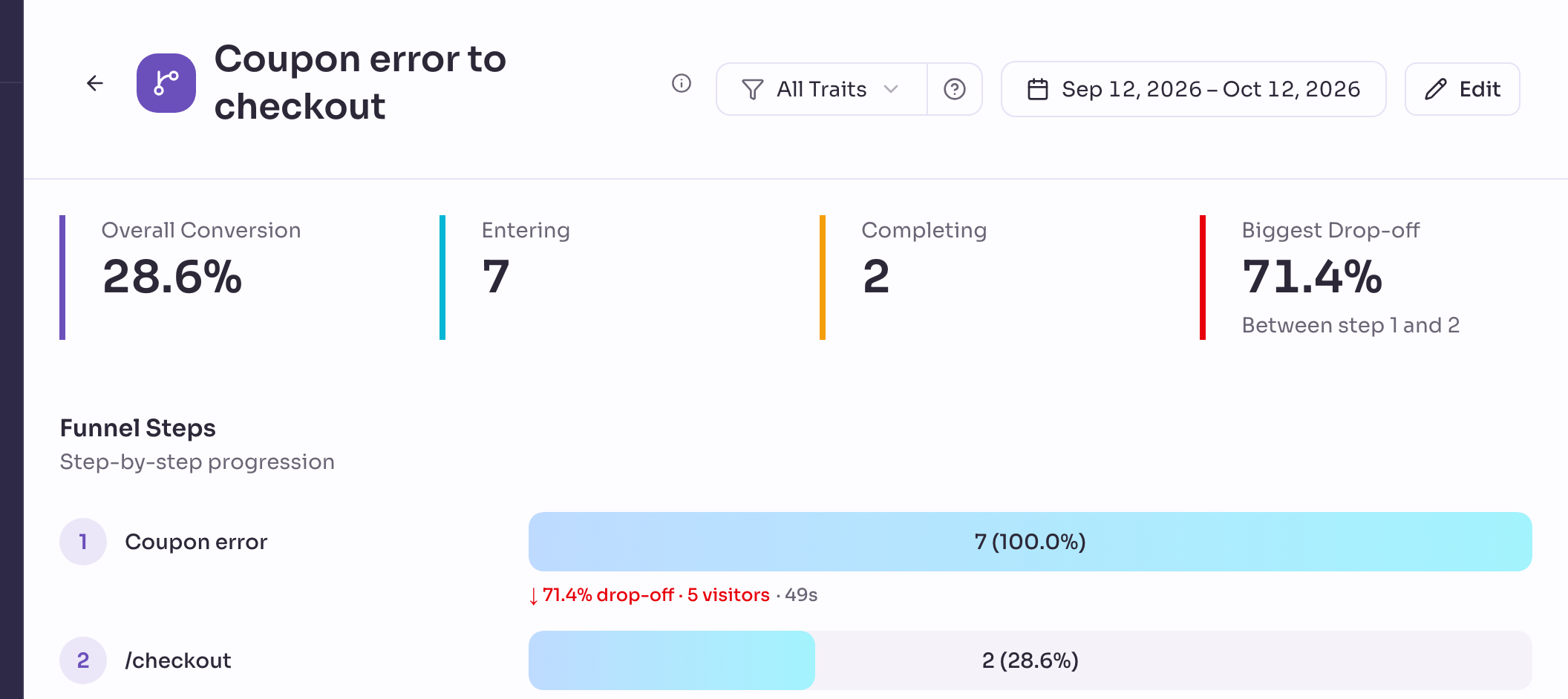
In Kitchen & Desk, most shoppers who hit the coupon error don't go on to checkout. That's sales the error is losing.
3. Fix it, then make sure it stays fixed
What a fix looks like depends on the kind of problem. In Kitchen & Desk:
- Place order's slow responses point to the payment provider taking seconds to answer. Show a spinner or disable the button the moment it's pressed, so shoppers don't press it again.
- Apply coupon's error usually follows a plugin update that broke the button's script. Fix the error your developer sees in the browser's console.
- A link with no effect, such as Delivery & returns, usually points to a missing or renamed page. Point it at the right page, or remove it.
An AI assistant that works in your code, such as Claude Code or Cursor, can find and fix these once it's connected to Privatrak.
Publish the fix, then mark the problem Resolved. If it happens again, it comes back to the top of the list.
Next steps
- Fix click problems: every status, and how to resolve or ignore a problem.
- Click Map: see the broken element on your own site.
- Measure your WooCommerce cart abandonment rate: build the full funnel from cart to purchase.