Documentation
Set up Privatrak, name what matters to you and read every report.
Members and roles
Invite your team into a project, so everyone works with the same numbers. Each person gets a role that decides what they can change.
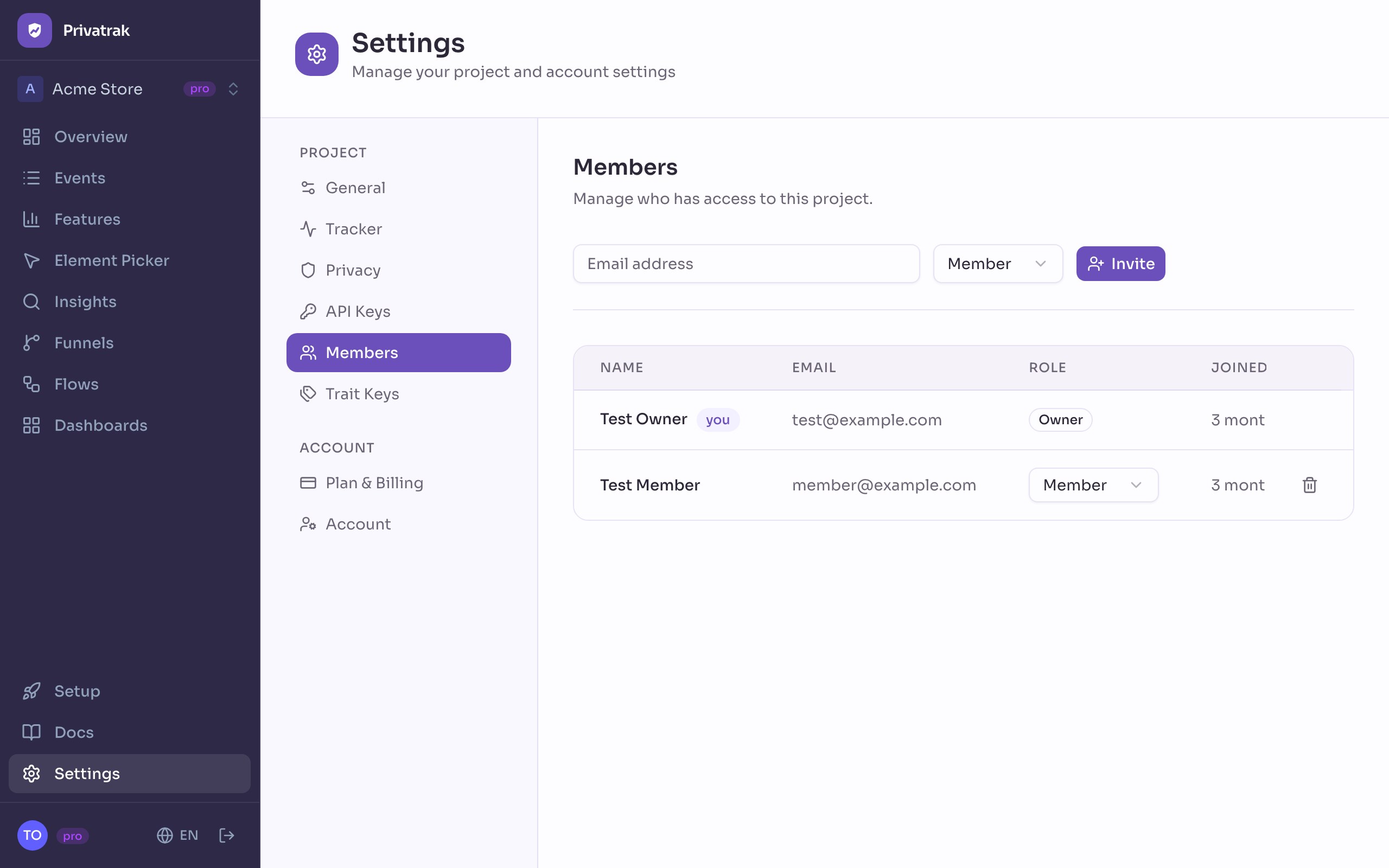
Invite someone
You need to be the owner or an admin of the project, with a confirmed email address.
- Open Settings › Members.
- Enter the person’s Email address.
- Choose Admin or Member.
- Click Invite.
If the person already has a Privatrak account, they are in the project right away and get an email. Otherwise they get an invitation with a link that is valid for 7 days, and they show as Pending until they accept.
What each role can do
- Owner: the person who created the project. Each project has one owner, and the owner’s plan sets the project’s limits.
- Admin: everything a member can do, plus changing the project’s settings and who is in it.
- Member: sees every report and setting, and builds features, funnels and dashboards.
| Task | Owner | Admin | Member |
|---|---|---|---|
| See every report and setting | ✓ | ✓ | ✓ |
| Create features, funnels, dashboards and widgets | ✓ | ✓ | ✓ |
| Resolve, ignore and reopen click problems | ✓ | ✓ | ✓ |
| Create and revoke API keys | ✓ | ✓ | ✓ |
| Undo AI assistant changes | ✓ | ✓ | ✓ |
| Change the tracker and privacy settings | ✓ | ✓ | — |
| Invite and remove people and change their role | ✓ | ✓ | — |
| Rename the project and change its timezone | ✓ | — | — |
| Delete trait keys | ✓ | — | — |
| Delete the project | ✓ | — | — |
Change a role or remove someone
Owners and admins choose a new role in the person’s row, and it applies at once. To remove someone, use the remove button at the end of their row and confirm with Remove. They lose access right away, and everything they created stays in the project. Removing a pending invitation withdraws it.
How many people a project can have
The owner’s plan sets how many people a project can have: 1 on Free, 5 on Starter, 100 on Pro, and as many as you like on Enterprise. The owner and pending invitations count too. Plans and limits compares the plans.
Hand a project to someone else
To make someone else the owner of a project, write to support@privatrak.com.