Documentation
Set up Privatrak, name what matters to you and read every report.
Events
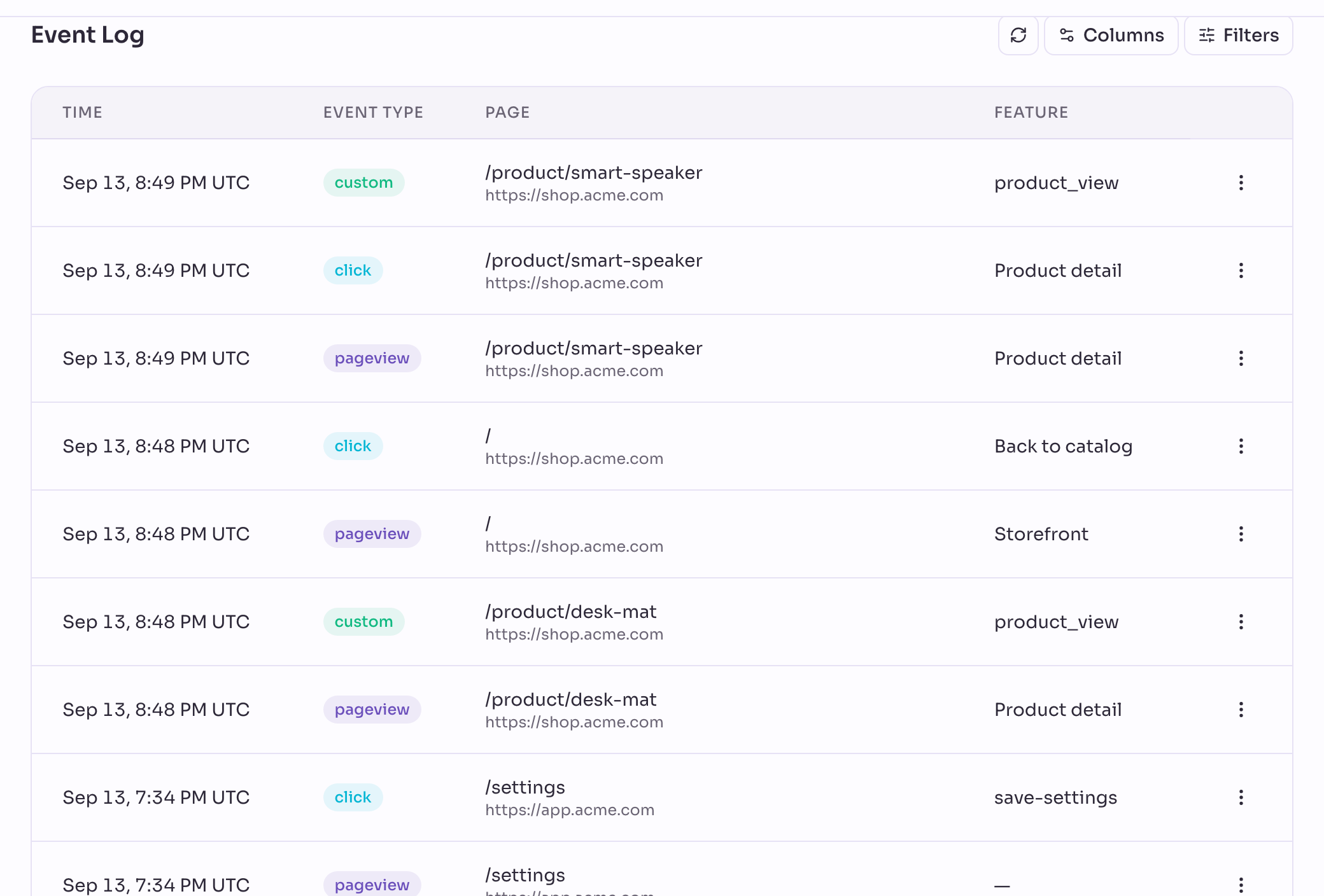
On the Events page you see every event Privatrak records for your site, one row each, newest first. Use it to check that event tracking works and to see exactly what happened on your site.
Check that event tracking works
- Open a page of your site in another browser tab.
- Open Events in Privatrak.
- Click Refresh events, the reload button above the Event Log.
- Find your visit in the top row: a Pageview of the page you opened.
- Open the row’s menu and choose View details to see everything that was recorded.
When the row is there, Privatrak is recording your site. Events arrive within a few seconds. If nothing shows up, Getting Started helps you find out why.
What Privatrak records automatically
As soon as the tracker is on your site, Privatrak records these events without any code:
- Pageview: someone opened a page. This includes sites that change the address without loading a new page.
- Click: a click on a link, a button or an element that works like one, such as a menu item, a tab or a checkbox. A click on an icon inside a button counts as a click on the button.
- Form submit: someone sent a form. Privatrak never reads what people type into it.
- No effect, Repeated clicks, Error and Slow response: clicks that went wrong. Click Problems explains each kind.
Your developers can send their own events with track(). They show up as Custom event. Name things in your code shows how.
You turn clicks, forms and each kind of click problem on or off under Settings › Tracker. Password fields, hidden fields and credit card fields are never recorded. Privacy lists what is stored with each event.
Event Overview and Event Trends
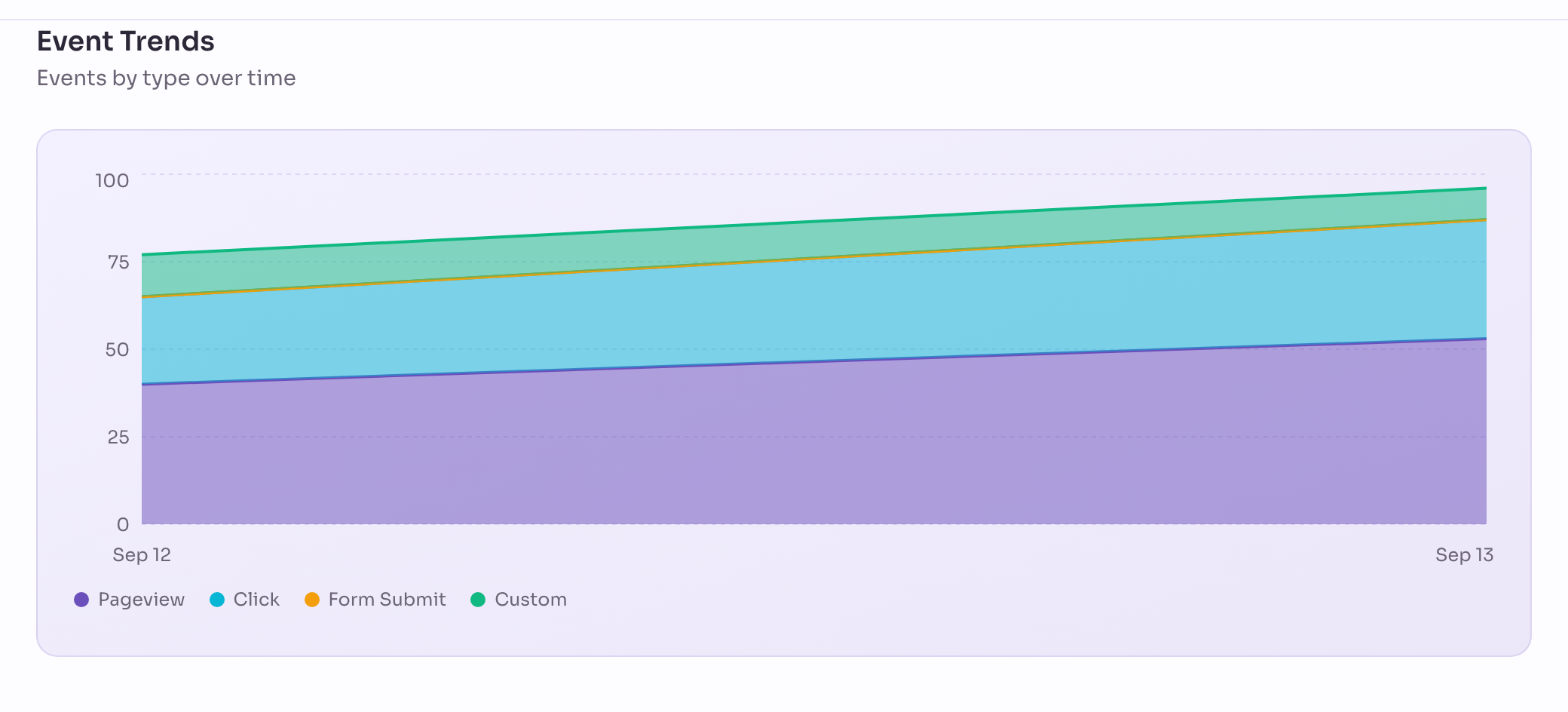
Event Overview shows the Total for the date range and one count each for Pageviews, Clicks, Form submits and Custom events, each with its change against the previous period. Total also includes the click problems.
Event Trends draws the same four types over time. You see at once when one of them drops while the others hold steady.
Hourly and daily charts
Use Hourly and Daily beside Event Trends to chart events by the hour or by the day. By the hour, you see at what time of day your site is busiest and in which hour a drop began. The charts on Pages and Features switch the same way.
- On Today and Last 7 days the chart opens by the hour. Longer date ranges open by the day.
- Hourly is available for date ranges of up to 31 days, so Last 30 days works too. Over longer date ranges the chart shows days.
- Hours that have not started yet stay empty. A dashed line labelled Now marks the current hour.
- The hours are those of your project’s timezone. On the day the clocks change, the repeated hour appears twice and the skipped hour is missing.
Event Log
Each row is one event. At first you see Time, Event type, Page and Feature, which lists every feature the event belongs to. Use Columns to add more, such as Element text, Referrer, URL parameters, data-track or Details.
Each row’s menu has two actions:
- View details: everything this one event recorded, including what the table leaves out.
- Assign to Feature: opens the feature rule form, filled in from this event, so you can count it and every similar event as a feature.
Filter the log
- Choose the date range at the top.
- Click Filters.
- Pick an Event type, or leave All types.
- Click Add filter, choose a property such as Page path and enter a value.
- Click Apply Filters.
Your filters appear above the list. Remove one there to see more events again.
An event has to match every filter. To accept one of several values, click + OR at the end of a filter. Any of several values on the Insights page shows an example, and Filters lists every property you can filter on.
To leave out automated visits, or to look at them alone, add the filter Automated visit and choose Yes or No. Events from automated visits carry the badge Automated.
Next steps
- Features: give the clicks that matter a name, so you can count them.
- Insights: count any events over time, filtered and broken down.
- Click Problems: find the buttons and links where clicks went wrong.